Expanding Pet Care Workflow Management
Helping pet care providers manage bookings and simplify operations
role:
Product Designer
timeline:
Oct 2024 - Dec 2024
team:
4 Designers
skills:
Product Design
User Research
Prototyping
Usability Testing
overview
How might we help pet care providers handle bookings more efficiently?
I collaborated with a team of three other UX designers on a two-month academic project to improve scheduling and daily management for pet care service providers on Rover. The goal was to streamline workflows, help users manage bookings more efficiently, offer note-taking for client information, and strengthen client care.
the problem
It’s hard to manage bookings as a pet care provider
When my colleague shared his experience as a pet care provider, he highlighted the challenges of juggling bookings, double bookings, and client miscommunication. As we dug deeper, we realized he wasn't alone. These challenges impact not just provider operations, but the valuable relationships they have with their clients.
solution
Refining Everyday Tool Use to Drive Productivity
Everything providers need to manage their day, from bookings to client details, is in one place.

01. Bookings
Manage Bookings At A Glance
In the calendar view, providers can see everything they need to avoid double-bookings and plan their day with confidence.
02. Client Notes
Add Notes for Client Info
Providers can document everything from pet health needs to client preferences in their notes, all-in-one place.
03. Sorting
Search and Sort Options
Providers can quickly find client details by service, time, or pet name without the endless scroll.
research
Pet care providers experience booking difficulties, resulting in client miscommunication and errors
Through desk research and interviews, we gathered insights from Rover pet care providers about their day-to-day use of the app. We observed that pet care providers encounter common problems, ranging from double bookings to communication issues with clients.
We summarized the key challenges faced by pet care providers into a clear problem statement, enabling our team members to understand user needs and guide our design decisions effectively.
Problem Statement
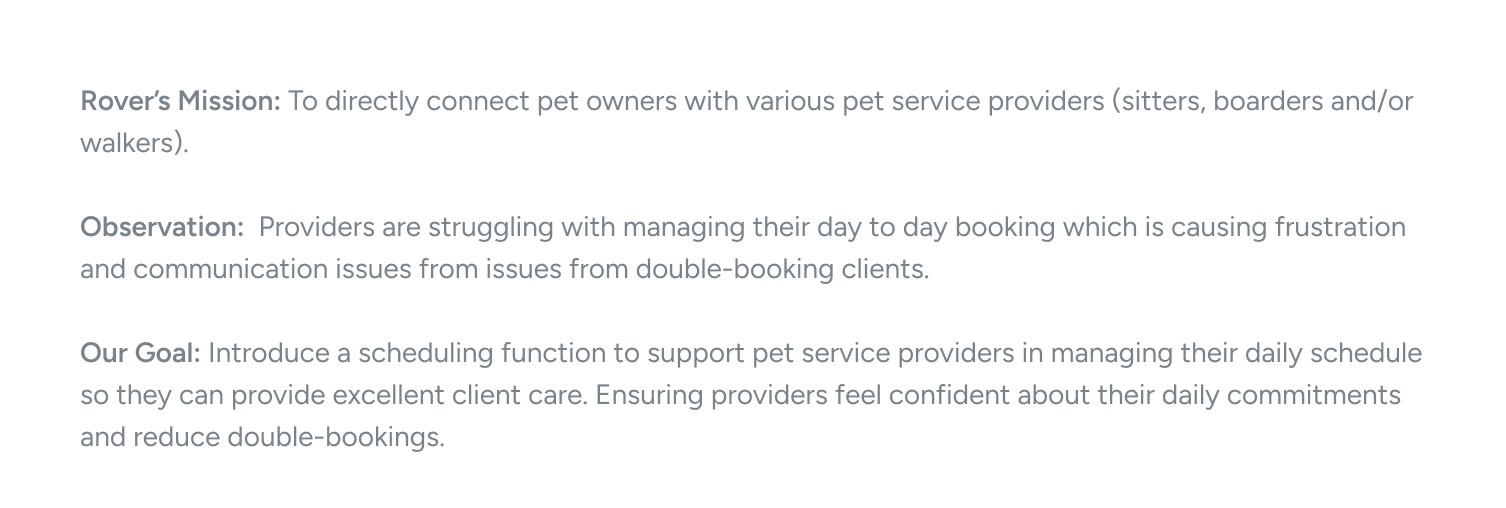
Core research findings:
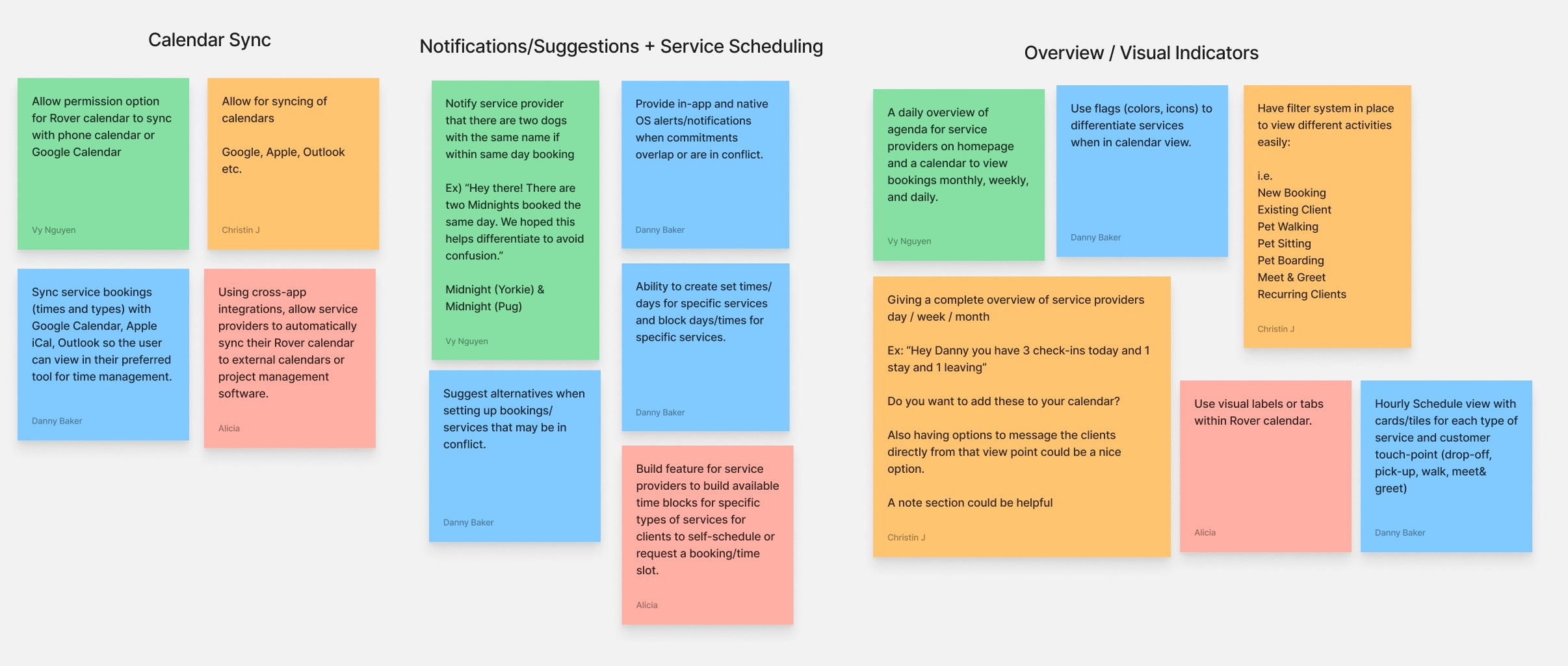
After a rapid brainstorming session, we transitioned from research synthesis and problem definition to solutioning. This shift helped align the team and transform our goals into actionable solutions.
Solutions: Managing Bookings
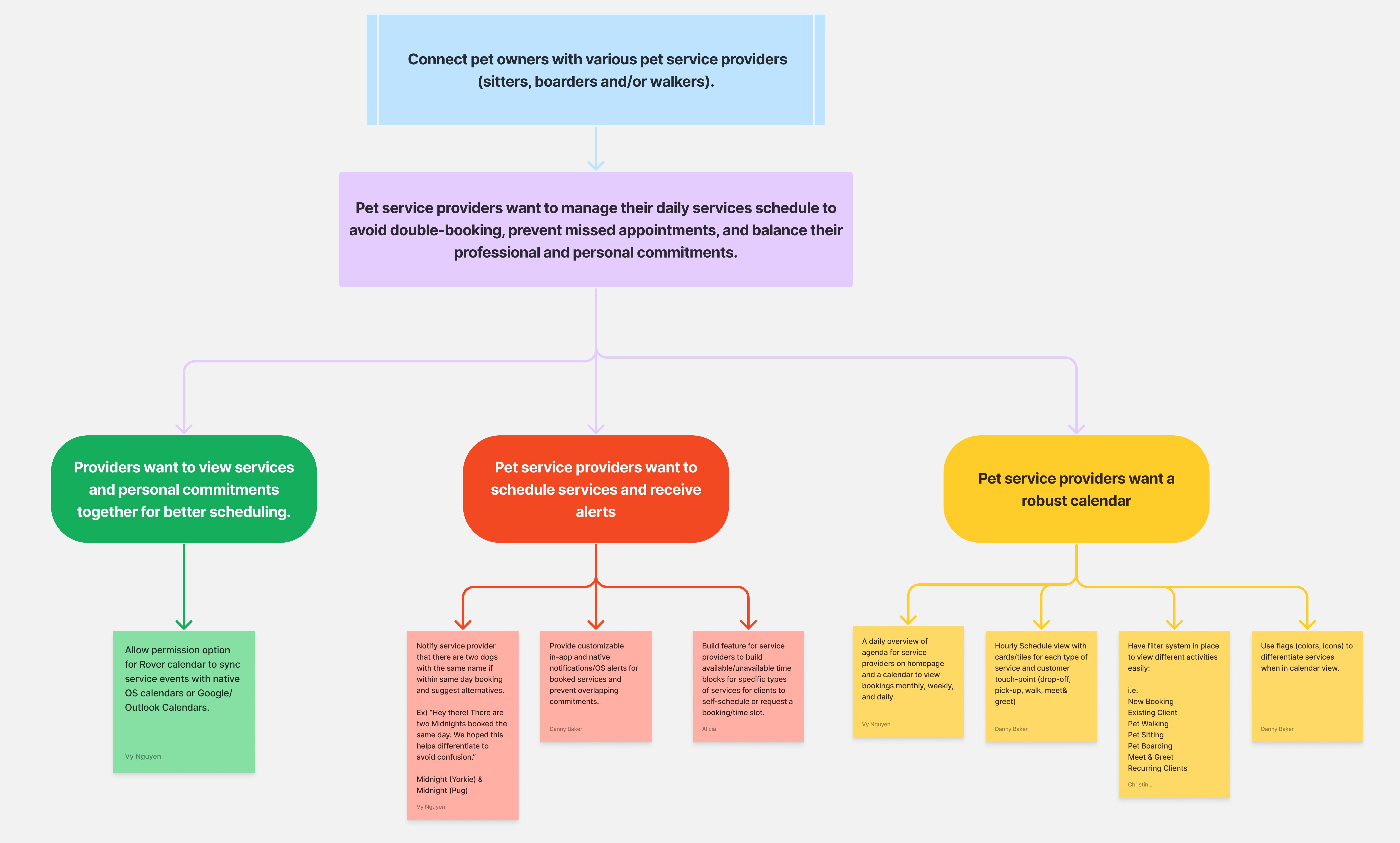
We organized our findings into an Opportunity/Solution Tree, including customer insights, opportunity areas, and potential solutions. This framework enabled the team to visualize and prioritize impactful paths toward achieving the desired outcome.
Opportunity/Solution Tree
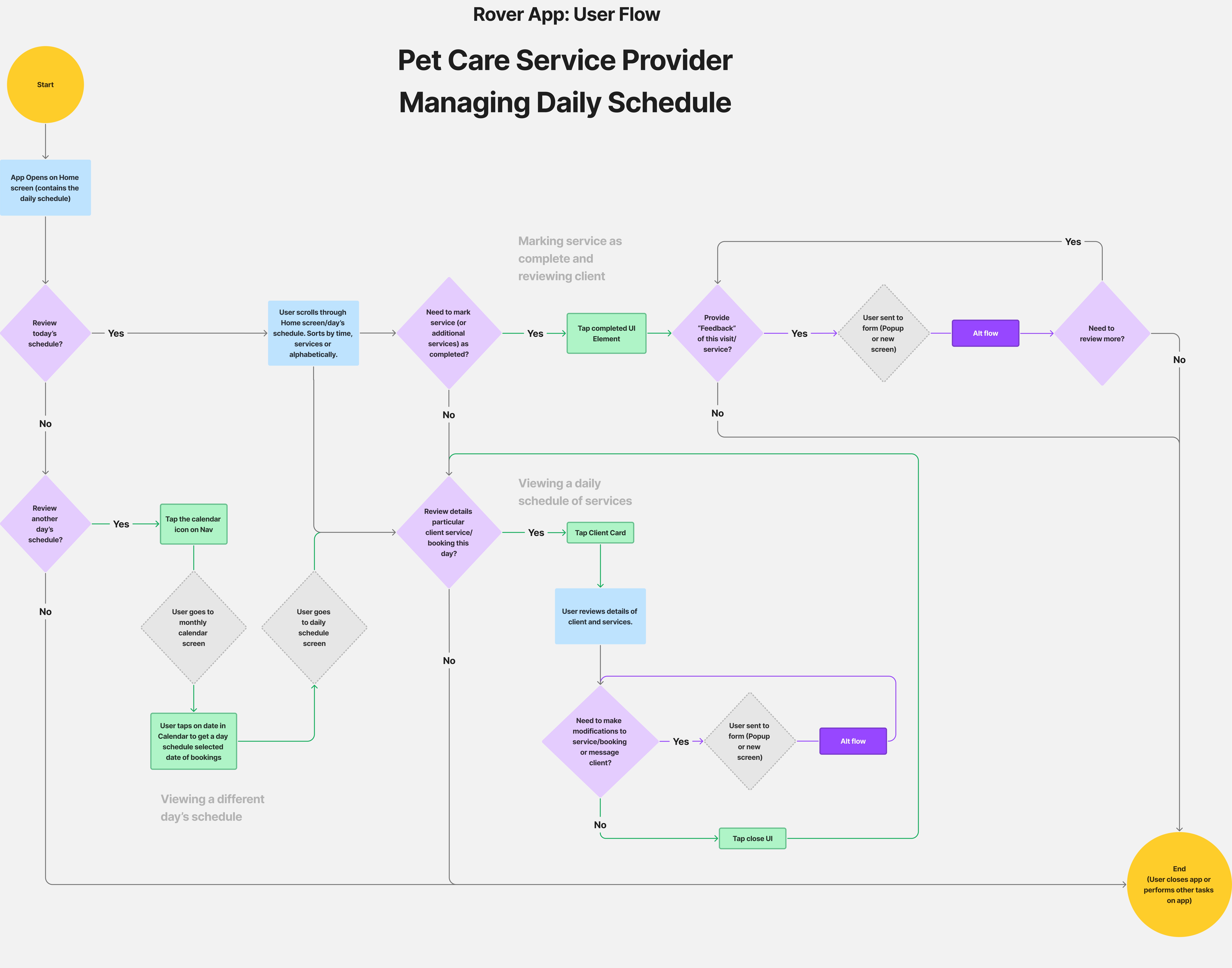
Mapping the User Flow
To ensure Rover delivers a seamless user experience, we mapped user flows and how our solution fits within the product and the users’ journey throughout a task. Working together as a team allowed us to streamline the process and minimize steps for users.
User Flow
key insights
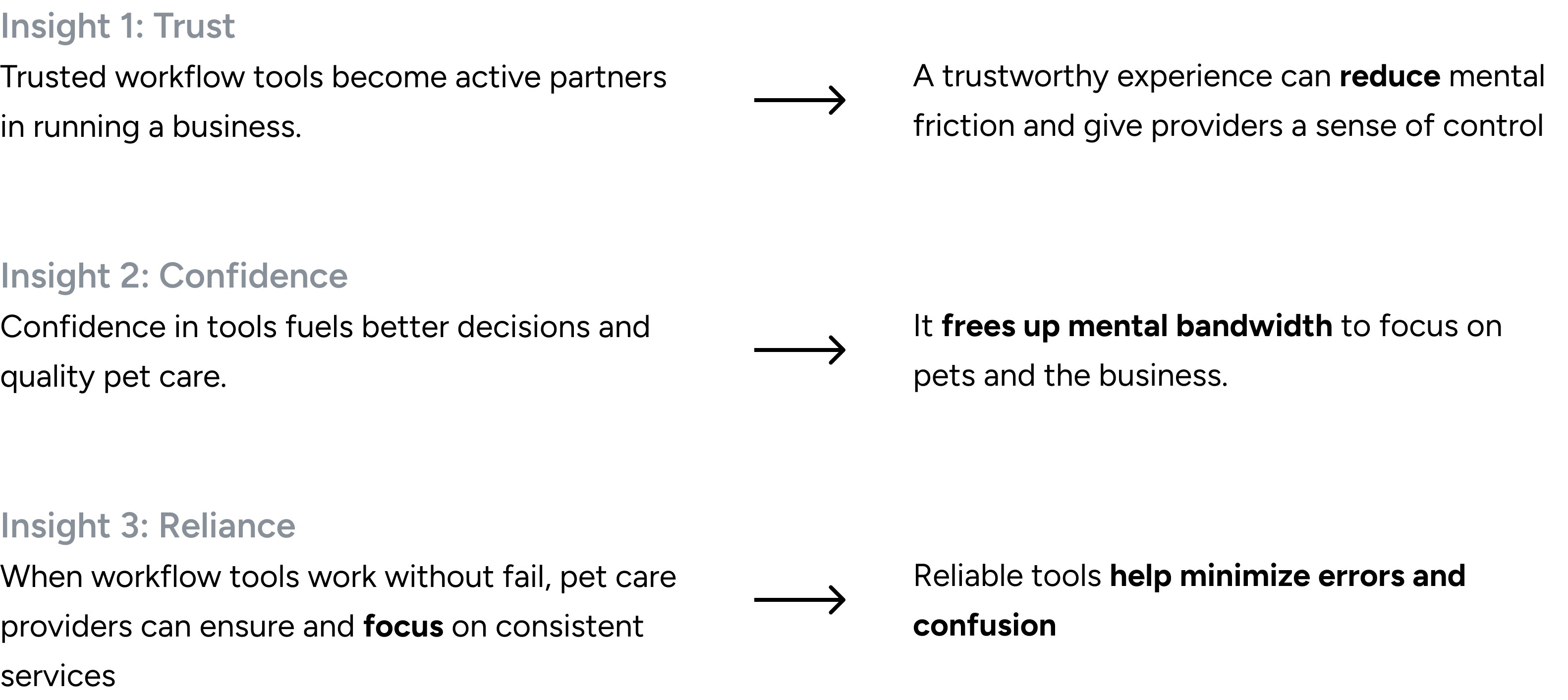
Friction in key workflows impacts pet care providers who depend on Rover for their livelihood
Interviews and affinity mapping revealed that pet care providers on Rover seek straightforward, cohesive tools that reduce friction and help them feel more in control of their business.
design process
Exploring opportunities to optimize workflow experiences
To optimize booking management, we implemented targeted improvements that streamlined the provider experience and simplified the management of multiple clients. Over four weeks, we explored features such as calendar sync, pet-specific client notes, and a help page. Through iteration, we realized that not every feature needs to be built, so we refocused on delivering a reliable, intuitive tool for managing bookings and client information.

testing
The transformative improvements
We tested our prototypes with Rover users to validate their effectiveness. Conducting usability testing allowed us to evaluate the workflow tool’s task completion, clarity, and overall booking management.
Key Usability Testing Takeaways
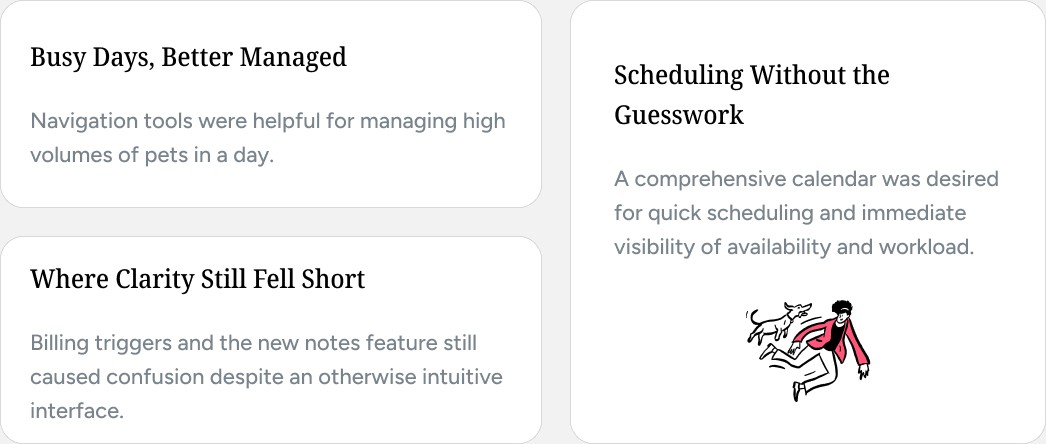
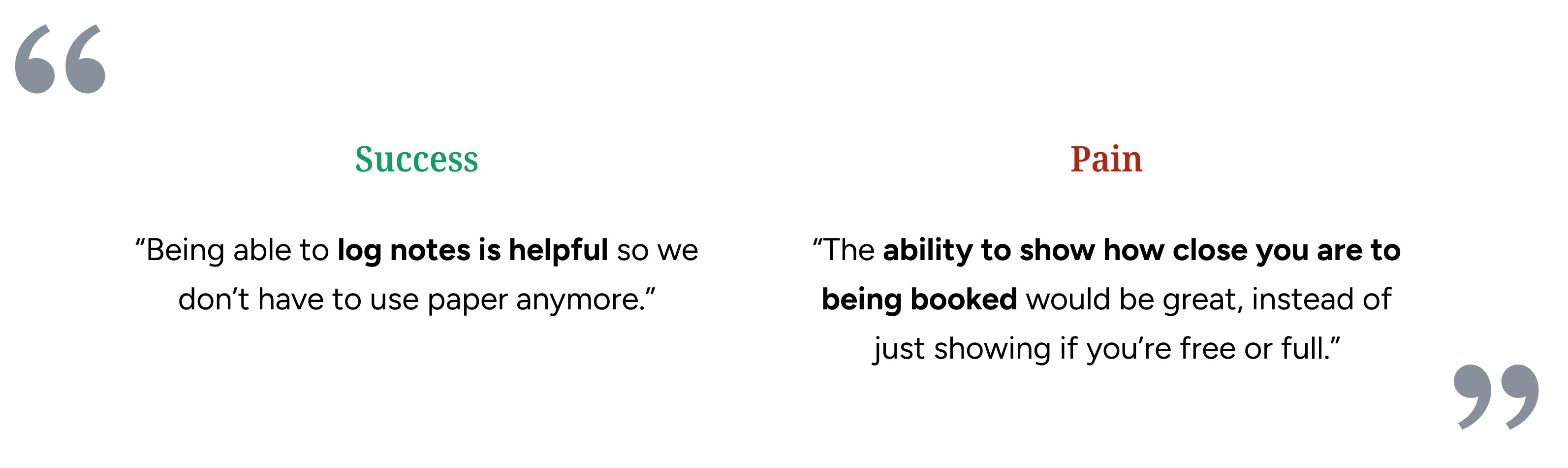
Through valuable insights from usability testing + instructor feedback from our first iteration, we continuously refined the design over four weeks, implementing three transformative improvements.
design decisions
Before
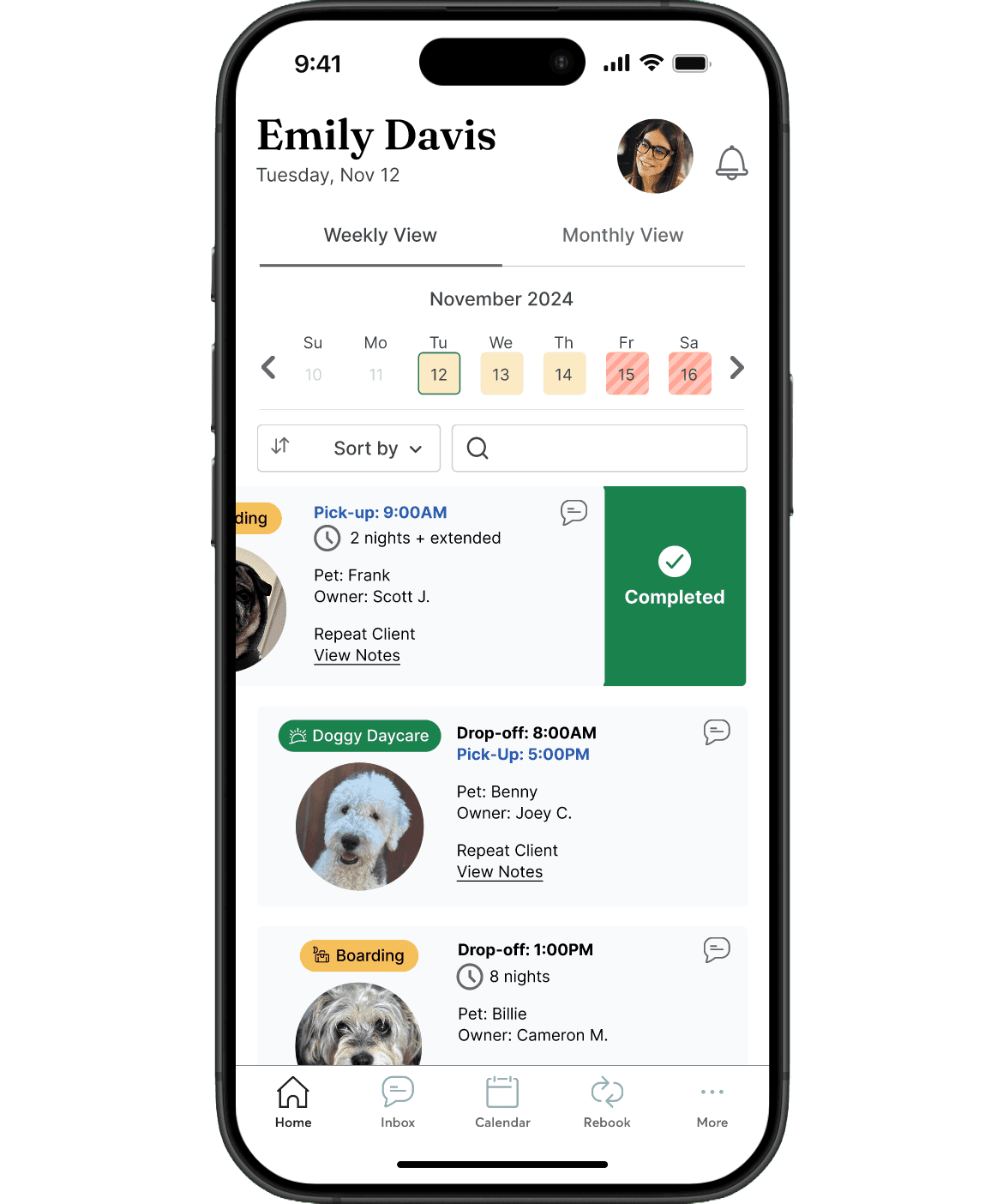
After
Integrating an open drawer
Providers needed quick access to additional options without the confusion of swipe gestures, making a sliding drawer the clearest path to discoverability.
Before
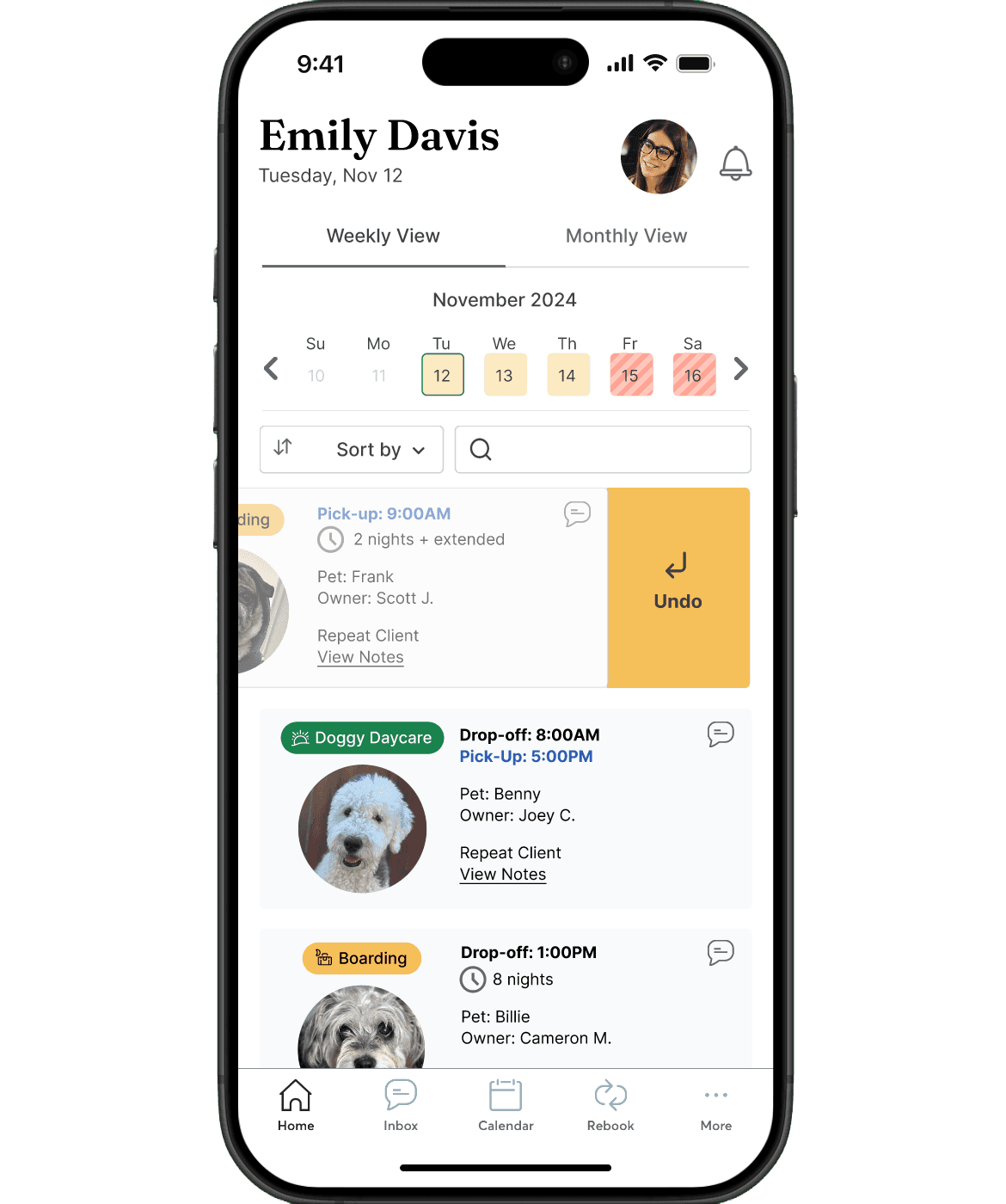
After
Color-coded task tracking
Swipe actions proved too ambiguous with multiple options, making radio buttons and color coding a clearer, more reliable way to complete and organize tasks.
Before
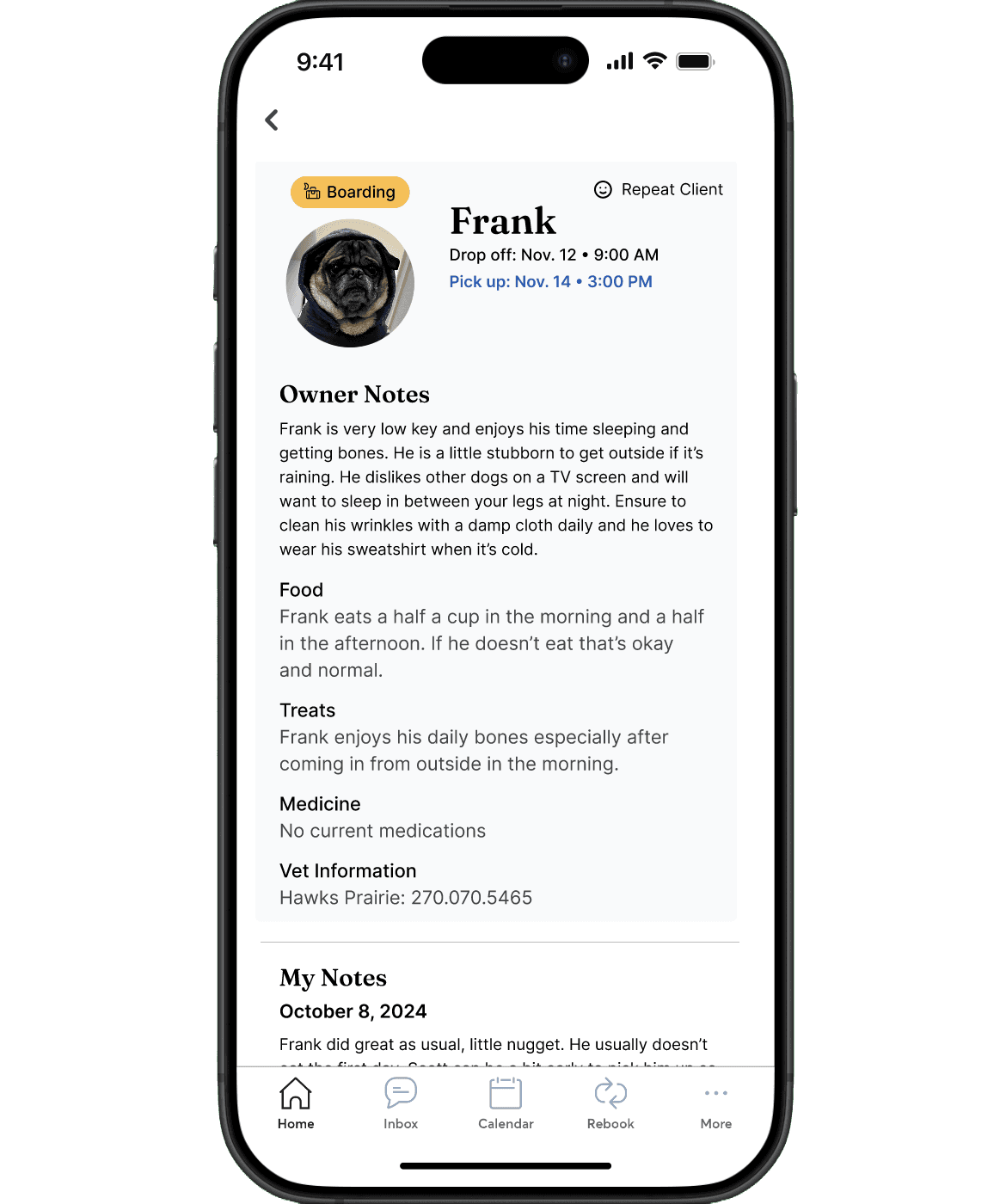
After
Making client notes private
Shared pet owner notes didn't fit how providers actually worked, so private notes after each visit proved far more natural and useful.
reflections
What I learned
This was my first UX project working with a team (Nervous + Excited) 😝 🥳! I am very grateful to work with a talented group where we can exchange ideas and collaborate using our diverse skills. On that note, here’s what I would have done differently and what I learned:
Delegate tasks to divide production. During development, pivoting often required significant production time for updates between iterations. We addressed this by dividing responsibilities to ensure accountability and equal opportunities for contribution. Building our components early on was a game-changer, streamlining future work.
Roll with the punches. Technical difficulties may occur, especially during in-class user testing. We quickly adapted by implementing solutions, such as adding “back” hotspots to the prototype to improve usability. If we had more time, I would have liked to spend more time on user testing to expand our research and iterations.